Eighty percent of my AI work now happens inside Claude. Not ChatGPT, not Google Gemini, not any of the other tools I’ve rotated through over the past year. Claude, specifically because of Cowork.
If you’re still trying to understand what makes Cowork different from a chat interface, Tiago Forte just published the best primer I’ve seen. His 16-minute walkthrough, New to Claude Cowork? Start Here, is the clearest explanation of why this tool represents a genuine shift in how AI assistants work.
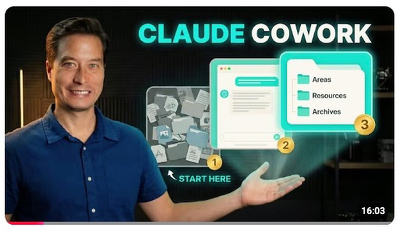
Here’s what makes it worth your time.
Forte captures the core frustration perfectly. Standard LLMs are great for brainstorming, but execution still falls entirely on you [00:17]. You generate ideas, then you’re back to manual labour. Cowork changes this by treating a local folder on your Mac as shared workspace [03:17]. Point it at a directory and it operates like a colleague with desk access, not a chatbot waiting for instructions.
The demonstration that convinced me: Forte hands Cowork a 45,000-word book manuscript. Instead of asking what he wants done, it maps out its own to-do list, spins up parallel sub-agents to read different sections and delivers a comprehensive structural critique [05:35]. This is execution, not suggestion.
The family road trip example is even better [08:49]. Asked to plan a trip to central Mexico, Cowork doesn’t rush to generic itineraries. It pauses, conducts web research and enters what Forte calls “Plan Mode”. It asks follow-up questions about travel dates, accommodation preferences and constraints before proceeding [10:45]. It behaves less like an eager intern and more like someone who’s done this before.
Three practical details worth noting.
First, this isn’t enterprise-tier software. Cowork is included in the standard A$28.50/month paid plan [08:05]. You need the MacOS desktop app (Windows support is now here), but there’s no additional subscription or usage tier required.
Second, the autonomous behaviour is opt-in. Cowork asks permission before executing multi-step plans. You’re not handing over control, you’re delegating with oversight.
Third, the integration is local-first. Your files stay on your machine. The AI operates inside the folder you’ve selected, not in some cloud sync that copies everything to external servers. You control which folders it works on.
I’ve been cautious and only let Cowork work on files I already have backed up. I tend to use in a way that it will read existing files but write a new file to create a report or a new version. This is still an “early research preview”. Use it with caution, but do use it. Claude Cowork is remarkably powerful.
I’ve been documenting this shift for weeks now because it genuinely altered my workflow. The difference between “answer my question” and “handle this task” turns out to be larger than I expected. If you want to understand why Claude has become my default workspace, grab a coffee and watch Forte’s walkthrough.
It might just change what’s on your to-do list tomorrow.
Source:
- Tiago Forte, New to Claude Cowork? Start Here (YouTube)